Converting a bank statement PDF to Excel or CSV only helps if the file stays on your machine. Upload the same statement to an unknown free converter and you are handing over account numbers, balances, and UPI references to a third party.
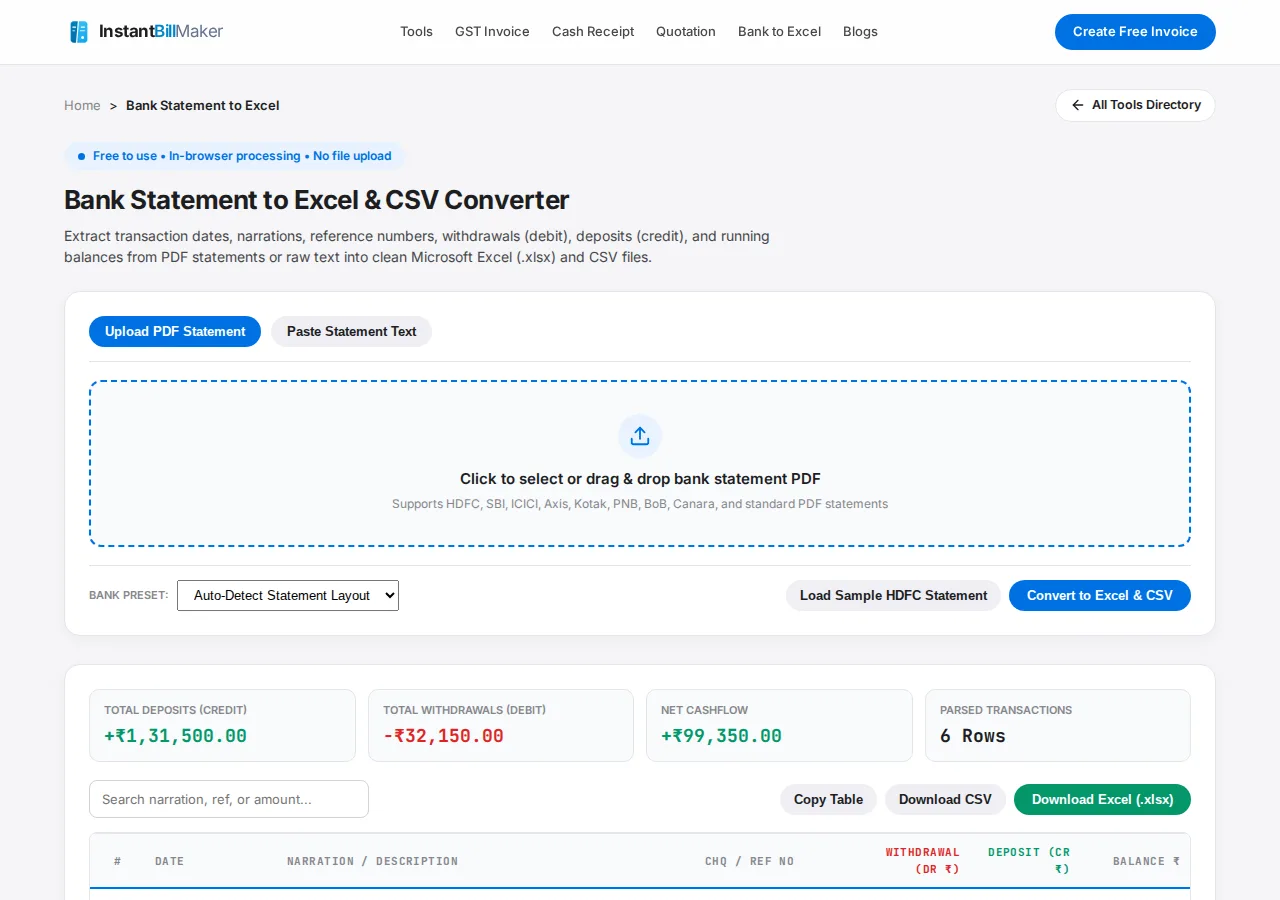
This guide covers a privacy-first way to move HDFC, ICICI, SBI, and Axis statements into a spreadsheet, plus the free Bank Statement to Excel converter that runs in your browser.
What is inside a bank statement PDF
Even a single-month PDF usually includes:
- Account holder name and partially masked or full account number
- IFSC and branch details
- Every UPI, NEFT, IMPS, and cheque reference
- Opening and closing balances
- Salary credits, EMI debits, and merchant names that reveal habits
For a CA, landlord, or loan file you often need that data in Excel. For a random SaaS with an upload box, it is over-sharing.
Why local conversion beats upload
A browser-side converter parses the PDF in the page session, builds rows, and lets you download XLSX or CSV. Nothing is stored on a vendor server if the code is written that way. InstantBillMaker’s tool is built for that model: no account wall, file processed in the tab, close the tab when done.
If a service demands email verification before download, or keeps history of your files, treat that as a red flag, even if the marketing says secure.
Steps: PDF to Excel without uploading
- Download the statement PDF from your bank portal (or export CSV directly if the bank offers it, always prefer the bank’s own export).
- Open the Bank Statement to Excel tool in a private browser window if you share the device.
- Select the PDF. Check that dates, narration, debit, credit, and balance columns match a few sample rows against the PDF.
- Download the XLSX or CSV. Rename it with month and account nickname, not the full account number.
- Clear the tab. Do not leave the PDF in a shared Downloads folder if others use the machine.
Column checks before you send the file onward
| Column | Why it matters |
|---|---|
| Date | Tie entries to invoices and TDS certificates |
| Narration / reference | UPI IDs and cheque numbers for reconciliation |
| Debit / credit | Cash flow and expense splits |
| Balance | Catch dropped rows mid-statement |
If your bank statement is image-only (scanned), conversion quality drops. Ask the bank for a digital PDF or CSV instead of OCR guessing amounts.
Who legitimately needs your statement
Your CA during filing, a loan officer under a documented request, or an auditor under engagement letter. A random Telegram bot offering free Excel is not on that list. Share only the months they need, redacted if they only require credit proofs.
Related tools on this site
Once transactions are in Excel, match them to billing documents: GST invoices, cash receipts, and HRA rent receipts for rent lines. For landlord claims, keep the UPI row that matches the rent receipt amount.
FAQ
Does InstantBillMaker upload my bank statement?
The converter is designed to process the file in the browser session and offer a download. No signup wall, no permanent account vault of your statements on this site’s product surface.
Can I convert password-protected bank PDFs?
Most Indian bank PDFs use a standard password (often account DOB or a bank-defined format). Unlock with the bank’s official password first, then convert. Do not paste passwords into random third-party sites.
Is CSV or XLSX better for a CA?
CSV is safest and opens everywhere. XLSX is easier for totals and filters. Offer both if the tool exports both; many CAs prefer CSV for import into Tally or Excel.
What if my statement has multiple pages?
Select the full PDF, multi-page statements should parse as one table. Spot-check the first and last transaction before you send the file out.
Is this tool free?
Yes. Bank statement conversion on InstantBillMaker is free and browser-local, same as the invoice and receipt tools.